
With telemedicine technology, NMC providers can offer the same high-quality care to patients and families through virtual visits via phone, computer, and mobile applications. Telemedicine technology gives you access to the providers you know and trust, all from the convenience of your home – or anywhere!
How to schedule a telemedicine visit
The process for arranging a telemedicine visit is easy. When scheduling an appointment, the service provider will let you know if a telemedicine visit is an option and give you instructions on how to make the connection, which will use NMC’s Patient Portal Virtual Visit functionality. Follow instructions below or download a printable pdf.
Step 1. Accessing NMC’s Patient Portal
Access the Patient Portal through the MHealth app on your smartphone or tablet, or log in on your computer using our Patient Portal.

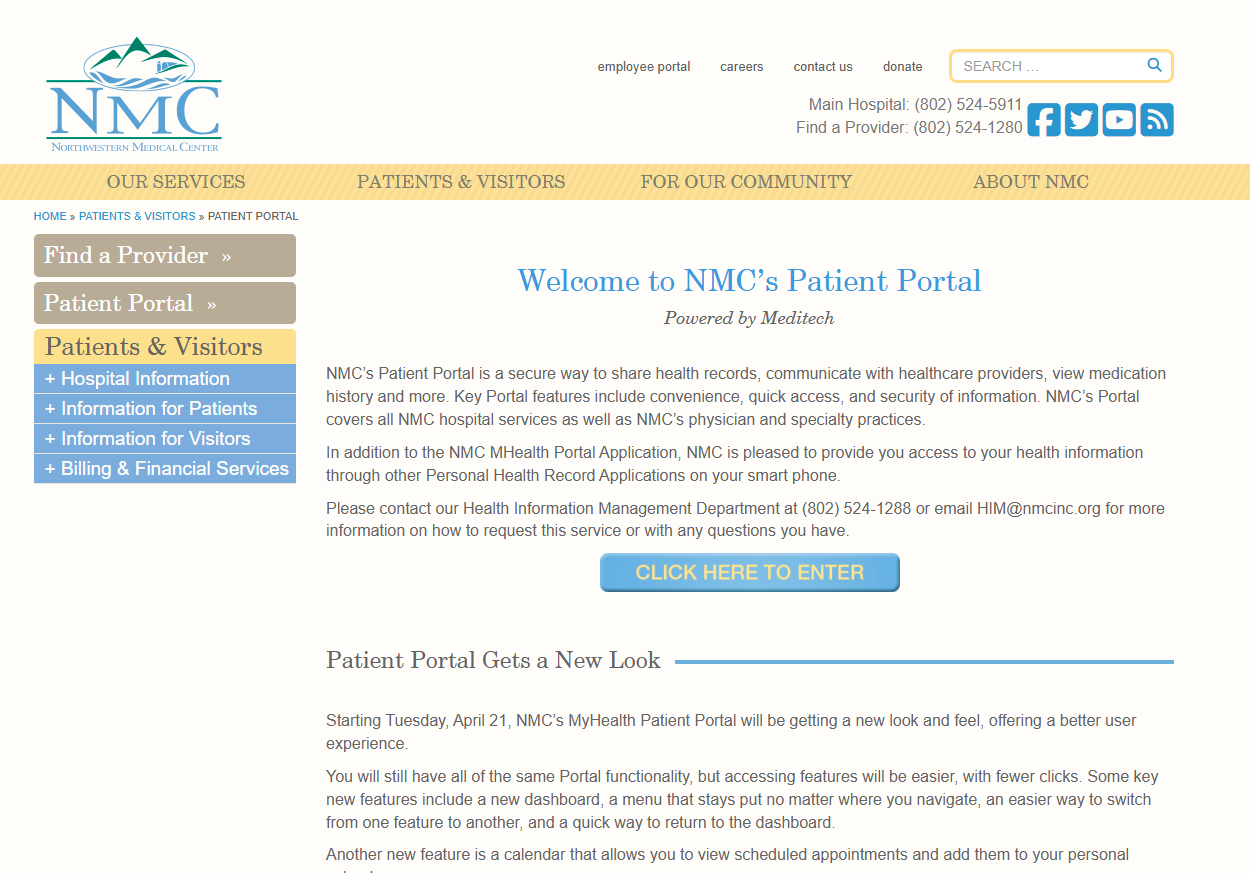
Step 2. On the portal page, press on button to enter portal
There is a lot of useful information on this page to read about the portal and how it works.
Step 3. Log in to the portal
The login screen is the same for all users, whether accessed from Apple devices, Android devices or the NMC website.
Step 4. View and access your virtual visit
You can begin your Meditech Virtual Visit up to 30 minutes BEFORE the appointment time, or up to 60 minutes AFTER the appointment time.
Step 5. What you see when you start your virtual visit
The first screen you encounter allows you to
update your Patient Profile. Once you have made any changes to your profile, click the Next button.
On the next screen, click the Yes radio button to accept the Consent Form and then click the button marked Start the Visit.
Step 6. Your view of the virtual visit
The virtual visit screens are very similar across all platforms, Apple, Android and the Website. There are buttons to flip the camera, mute and unmute yourself and to
end the call. If you accidentally inadvertently clicks the Red Phone button and end the
call, you can click the Green Camera icon to rejoin their visit with the provider.
Note that you can only rejoin up to 60 minutes after the scheduled time
for the visit.
Benefits of telemedicine
There are numerous benefits to this type of care. Most importantly it reduces the risk of possible exposure to infectious conditions like COVID-19, flu or RSV for those who can safely receive treatment from home. Additionally, telemedicine visits are done without the need for transportation, increasing access and convenience for patients. The convenience, flexibility and efficiencies of telemedicine also allow providers to see and care for more patients.
What people are saying
Patients appreciate the opportunity to discuss their current circumstances and seem very receptive to our recommendations and advice
Dr Robert Beattie Orthopaedics and Rehabilitations
What people are saying
The pandemic taught us about the huge potential benefits of telemedicine and will help to quickly define its increased future role.
Dr Robert Beattie Orthopaedics and Rehabilitations
What people are saying
Telemedicine is a different way of approaching medical care but it is built on some of the key components we have with a patient encounter—listening to what the patient is experiencing.
Dr. Anna Royer Surgery
FAQ
Absolutely. Rest assured, we will always let you know when we feel an in-person appointment is necessary, there will be no compromises on that front.
Telemedicine is covered. Depending on your insurance coverage, you will be charged your usual co-pay/deductible. Please contact NMC’s Patient Financial Services Team at (802) 524-1048 for additional information.
Yes, your visit is entirely private and properly secure. Please conduct your visits from a private location.
For telephone visits, you need access to a phone and a private location to speak with a provider. If you would like a video visit, you will need the following reliable internet connection and a device (computer, phone, tablet, etc.) that has video capabilities. You may need the free Zoom app on your device. We will help you understand what you need when you schedule your appointment.